
Construction Schedule Program: Templates vs Software (What to Use and When)
Compare construction schedule templates vs construction scheduling software. Learn when you need real-time scheduling, and how low-code platforms like Protrak help teams execute.
Last Updated: 11 May 2026
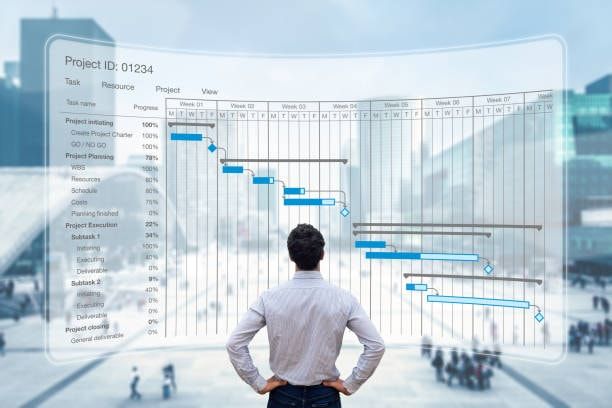
Your construction schedule breaks the moment the job gets messy. I've seen it happen. A subcontractor shows up late. Materials don't arrive. Suddenly, your Excel sheet is lying to you about what's actually happening on site.
Templates work for single-site jobs under 6 months. Beyond that, you're lying to yourself. Construction scheduling software becomes essential when the project scope expands, multiple teams collaborate, and job progress must be tracked daily across sites.
This guide breaks down when templates work, when construction scheduling software becomes necessary, and how modern platforms help construction professionals manage projects with greater control and predictability.
What Is a Construction Schedule Program?
A construction schedule program shows you what's next and who's responsible. Every task. Every dependency. Every deadline. It's the difference between knowing your project is behind and knowing exactly which crew needs to catch up by Friday.
How Tasks Shifted on My Jobsite
I thought I had a solid project schedule when I first managed multiple projects on Excel. I didn’t. The whole construction project schedule started lying to me the moment tasks shifted.
On a 40-unit residential build I consulted on, the team updated the master schedule manually every Friday. By Monday, job progress had already shifted. Construction scheduling software would’ve recalculated the critical path automatically and flagged the risk before it caused delays.
Now, AI analyzes historical and real-time data to predict bottlenecks months in advance. This helps construction professionals prevent project delays before they happen.
Why Construction Scheduling Fails Without the Right Program
I’ve worked with 30+ construction teams and schedules break the same way every time, usually when static tools try to manage a changing site.
On a $5M commercial renovation in Dallas, the foreman updated the schedule on paper then texted the office. The plan was already off—adding two weeks to the timeline by the time the project manager saw it.
A residential developer in Austin juggling three builds spent 12 hours a week updating Excel. It dropped to 30 minutes, freeing the team to focus on real work after switching to a construction schedule program.
According to Varicon, many contractors report that software use helps improve on‑time delivery by up to 30% thanks to better coordination and schedule tracking.
At the end of the day, schedules fail when updates are slow. Teams can’t see changes in real time and dependencies aren’t tracked automatically. That’s why a proper construction schedule program is a real game-changer.
What Are Construction Schedule Templates?
Construction schedule templates are pre-built files used to plan project timelines manually. They provide a basic scheduling framework for construction projects. It helps teams organize tasks, track progress, and manage resources. Templates are ideal for early-stage planning or smaller projects with predictable timelines.
Common Types of Construction Schedule Templates
Construction schedule templates come in different formats to fit different planning needs. Choosing the right type depends on the project’s complexity, team size, and how you want to track tasks and timelines.
- Excel or Google Sheets – Flexible and widely used for manual task tracking
- PDF or printable Gantt charts – Visual timelines for quick reference and reporting
- Basic project management files – Includes Microsoft Project exports for structured planning
When Templates Work Well
Construction schedule templates are ideal for projects where the scheduling process is simple and predictable. They help teams track progress and assign tasks manually. This'll make them practical for smaller construction businesses.
Templates work best when the project scope is straightforward, project timelines are stable, and dependencies are minimal. Common use cases include:
- Short-duration jobs with minimal complexity
- Single-site construction businesses
- Projects with few dependencies
- Situations where a simple construction project schedule is sufficient
Templates help teams stay organized and reduce idle labor hours but they remain static. They don't automatically adjust task dependencies or recalculate the critical path. This limits their use for complex or dynamic projects.
What Are the Limitations of Construction Schedule Templates?
Construction schedule templates often struggle as project complexity increases. While they may work for early planning, they lack the flexibility required for real-time construction execution. Manual systems create gaps in visibility, coordination, and control as teams grow and timelines shift.
Key limitations include:
- No real-time updates and no reliable mobile app access for field teams. This makes site coordination difficult.
- Manual dependency adjustments that don't automatically recalculate the critical path method. This'll increase scheduling risk.
- Limited automation and collaboration, making it harder to manage tasks, track tasks, and keep manageable tasks updated consistently
- Weak integration with cost management systems. This reduces visibility into overall project costs and financial performance.
- Poor document management connections for photos, RFIs, inspections, and checklists
Templates may support basic scheduling but they aren't built for dynamic construction environments that require real-time updates, cost control, and centralized task management.
What Is Construction Scheduling Software?
Construction scheduling software is a digital platform designed to manage project timelines. It allows teams to track progress in real time while adjusting schedules as conditions change.
Construction scheduling software improves profitability and resource efficiency. Most of it includes task dependencies. When one activity shifts, related project tasks automatically update. It typically supports field updates through a construction scheduling app, automated notifications and alerts, and live dashboards that give project teams clear visibility.
Many platforms are cloud-based that allows approved users to access data from anywhere. This improves coordination and keeps project teams aligned for more accurate timelines as work progresses.
How Construction Scheduling Software Improves Project Control
Construction scheduling software supports structured schedule management within construction companies handling multiple projects. Teams work in a shared system where timelines, task dependencies, and updates are visible in one place. This provides clearer oversight of project progress and overall project health.
Real-Time Visibility Across Projects
Dashboards centralize schedule data, milestones, and status updates so project teams can monitor project progress. This is especially important in complex scheduling environments where construction teams coordinate work between different locations and stakeholders.
Field-to-Office Synchronization
Mobile updates from the construction site allow construction teams to input progress directly into the system. This keeps office and field teams aligned on the current construction project schedule.
Automated Dependencies and Alerts
Construction project scheduling software includes task dependencies that automatically reflect changes when one activity shifts. Alerts notify teams when project tasks are affected. This supports consistent schedule management without manual recalculation.
For industry guidance on construction planning and schedule management standards, refer to the Construction Management Association of America (CMAA).
Construction Schedule Templates vs Software (Side-by-Side Comparison)
This is what we recommend when you want to put your construction workflow to the test. Ask your team these questions: How often does your schedule change? Weekly? Templates slow you down. Daily? They break completely. That's when software stops being optional.
| Factor | Templates | Scheduling Software |
|---|---|---|
| Project Size | Small, single projects | Small to enterprise, including multiple projects |
| Real-Time Updates | No | Yes |
| Mobile Access | Limited | Full access via construction scheduling app |
| Automation | None | Built-in task dependencies and alerts |
| Collaboration | Manual sharing | Centralized for project teams |
| Scalability | Low | Designed for complex scheduling environments |
Templates work well for simple construction planning. As project scope grows, construction scheduling software provides the structure needed to manage schedules across teams and locations.
When Should You Upgrade From Templates to Software?
Construction companies with good scheduling practices have this philosophy: Templates work until they don't. If you're managing more than one project, and your crew is spread across multiple sites, the break starts to happen.
At that point, templates are limiting your team. You need software that updates in real time.
These are some signs that it's time to make the upgrade to software:
- You manage multiple projects and need visibility across the full project portfolio
- Project teams are distributed across multiple construction sites and subcontractors
- Quality, safety, and compliance checkpoints must be embedded into the complex construction project schedule
- Tight deadlines increase the risk of project delays and cost exposure
- You need stronger resource management and resource allocation across construction teams
- Manual spreadsheets are limiting project progress tracking and overall project health visibility
Complex scheduling requires tools designed to manage timelines dynamically across teams, tasks, and locations as construction companies expand.
How a Low-Code Construction Schedule Program Changes the Game
Low-code construction scheduling platforms allow teams to build flexible scheduling workflows without heavy custom development. They adapt to how teams actually work rather than the traditional construction scheduling tools.
With low-code scheduling, teams can quickly create efficient workflows for any project and customize schedules. It reduces IT dependency and provides a single platform to manage schedules, assign tasks, track progress, and simplify reporting.
These advantages are especially valuable when off-the-shelf tools fail to match real-world team workflows.
Using Protrak as a Construction Schedule Program
I’ve seen teams using Protrak cut handoff delays by 50% and reduce time spent updating schedules from hours to minutes. On one 30-unit residential build in Phoenix, the foreman updated progress in the app from the field and the office immediately saw it on the master schedule. No more chasing texts or outdated spreadsheets.
Protrak lets me design workflows exactly like my team works in real life. I can assign tasks, track progress, and link schedules to inspections and deliveries.
Mobile updates, QR tracking, and geolocation mean crews report real-time status. Integration with ERP, inventory, or reporting tools keeps everything connected. I can actually manage multiple projects across sites without losing oversight with Protrak.
Are you and your project managers tired of chasing updates across spreadsheets? Book a Protrak demo. See how low-code scheduling keeps your team aligned without the IT overhead.
Construction Scheduling for Complex Workflows (Materials, Quality, Delivery)
Modern schedules do more than track dates. Effective construction project management integrates quality checks, material availability, and delivery milestones to keep tasks flowing smoothly.
Materials
Coordinating material deliveries with site readiness helps prevent shortages and keeps crews productive. Teams avoid idle labor and delays when materials arrive at the right stage of the project.
Quality
Adding quality inspection checkpoints make sure that tasks only move forward when standards are met, reducing rework.
Delivery
Coordinating dispatch and site deliveries keeps crews productive and materials arriving on time.
Linking schedules to approvals and document management improves transparency. While “schedule-only” tools struggle. A workflow-driven platform handles tasks efficiently and supports real-time project execution.
How to Choose the Right Construction Schedule Program
Selecting the right tool is key to effective construction project management. The best program fits your team’s workflows and helps keep schedules aligned with real work. Use this checklist to evaluate potential solutions:
- Can it adapt to your team’s processes and terminology?
- Does it support field teams with a mobile app, offline updates, and a simple interface?
- Does it provide visual tools like gantt charts and calendar views for fast clarity?
- Can it handle task dependencies, the critical path method (CPM), and complex scheduling logic?
- Does it support resource management, workload balancing, and labor planning?
- Can it connect your schedule to document management, forms, and approvals?
- Does it offer seamless integration with existing systems for a unified project ecosystem?
All of this ensures your team stay on track and execute projects efficiently even in complex workflows.
Quick Overview of Popular Construction Scheduling Tools
Choosing the right construction scheduling platform makes a big difference on real jobsites. Knowing what each tool actually does helps teams pick software that fits their workflows, project size, and tasks. Here’s what I’ve seen work in practice:
| Tool | What It's Known For |
|---|---|
| Protrak | Low-code construction workflow platform that lets teams configure scheduling, inspections, deliveries, and project tracking in one system without heavy development. |
| Plaky | Intuitive with fast onboarding and a strong free plan, ideal for basic project management and task management. |
| Smartsheet | Spreadsheet-like interface with dashboards and resource tools, great for teams moving beyond spreadsheets. |
| Fieldwire | Strong for documentation-heavy jobsite workflows, managing plans, as-builts, and records, including offline access. |
| Jobber | Focused on scheduling, time tracking, and location management for managers often off-site. |
| Autodesk Build | Targets larger companies needing workflows across documents, cost management, quality, and safety. |
| Notion | Highly customizable with templates for construction teams, though it lacks structured scheduling controls compared to dedicated platforms. |
| Outbuild | Emphasizes collaboration, visibility, and accountability for plan changes. |
| Procore | Widely used for collaboration and construction project management, with scheduling often linked to imported tools like Primavera P6 or Microsoft Project. |
| ALICE Technologies | Uses generative scheduling for AI-driven what-if scenarios, simulating multiple schedule paths under constraints. |
| Float | Focused on resource planning and scheduling people across projects, but not a full task execution suite. |
| Connecteam | All-in-one workforce scheduling tool with time, GPS, and AI scheduling features, ideal for frontline teams. |
How to Get Started With a Construction Schedule Program
Construction project management works best when you start small and scale as your team adapts. Begin by testing a construction schedule program on a live project (involve both site and office teams) and update workflows regularly to keep existing schedules on track. To get started:
Step 1: Identify a scheduling bottleneck – handoffs, approvals, inspections, or deliveries
Step 2: Pilot the program – define success metrics on a live project
Step 3: Engage site and office teams – ensure alignment from the start
Step 4: Update the project board weekly – keep KPIs accurate and visible
Step 5: Expand gradually – include related workflows like quality, inventory, and documentation
Schedule a demo today to see how Protrak can help your team manage schedules, assign tasks, and track progress effectively.
FAQs About Construction Schedule Programs
What is the best construction schedule program for large projects?
Programs with real-time updates, CPM support, and system integrations work best for complex projects with many stakeholders. They help teams stay aligned and track progress effectively.
Can I use Excel as a construction schedule program?
Excel works for simple planning, but it lacks automation, live location tracking, and collaboration features needed for active project execution.
How does construction scheduling software support field teams?
Mobile apps and offline access let field teams update data in real time. This improves visibility and helps teams resolve blockers faster.
Is low-code software suitable for construction scheduling?
Yes. Low-code platforms let teams build workflows that match real-world execution without lengthy custom development.
Can construction schedules integrate with quality and inventory systems?
Modern software supports API integrations, reducing data silos and improving coordination across systems.
Final Thoughts
Templates are a good starting point, but construction project management software is what keeps projects on track. Static schedules can’t handle multiple teams, dependencies, and real-time changes as projects grow in complexity. Software connects scheduling to actual workflows. This helps teams manage schedules, assign tasks, track progress, and control project costs.
For a system your team will use every day, look beyond templates and explore platforms that turn plans into action. Discover how Protrak’s low-code construction scheduling can streamline your projects and improve execution. Contact us today.
Chetan Mogali
Product Manager
Chetan Mogali is a Product Manager for Protrak at Prorigo, focused on developing solutions for the construction and precast industries. He brings strong domain expertise in construction and precast, which enables him to build solutions aligned with real-world industry needs. He plays a key role in defining product requirements, shaping features, and driving the evolution of Protrak Construction Management and Precast Management solutions. He works closely with customers and internal teams to understand project workflows and translate them into scalable, efficient product capabilities. His focus is on improving visibility, streamlining execution, and enhancing coordination across stakeholders throughout the project lifecycle. He is responsible for aligning product development with real-world use cases, ensuring the platform delivers measurable value across construction and precast operations.

Explore Protrak's Construction Management Solution
Built Right. Delivered Better.
- Digital Punch Lists with photo logs
- Client-ready Handover Reports
- CRM-integrated Communication
- Warranty & Manual Packages
- Mobile-enabled Final Inspections