Model Information for Each Business Type
Associate the required attributes with each configured type so that records capture the information relevant to their purpose.
Platform & Solutions by Prorigo

Define How Business Information Is Captured, Validated, and Presented
Define the information. Control the input. Present it in the required form.
Explore the capabilityOverview
Protrak Attribute Configuration enables administrators to define the information fields used by configured business types. Attributes determine what information users can enter, the form in which it is captured, how available values are resolved, and how the resulting value is presented in the application.
Attributes are configured independently and then associated with the applicable type. Once associated, they can be placed in configured forms and made available according to the permissions applied to the record and its current lifecycle state.
Domain Modelling Studio
Attributes act as the configurable fields through which users provide and view business information. Each attribute is created with a defined value type and can carry additional settings that control its behavior.
A configured attribute becomes usable when it is associated with the relevant type. The type groups the attributes required for that business record.
Attributes can be added to create, edit, or view layouts and arranged within the required containers and sections.

Text attributes support single-line, multi-line, or longer text requirements, with default values, prefixes, and suffixes where required.
Specialized attribute configurations capture date-only, date-time, numeric, and currency-related values.
Boolean attributes capture a true-or-false decision, confirmation, applicability setting, or another two-state choice.
Pick-list attributes allow users to select from static values or information already configured in the platform.
User attributes present active platform users as selectable values and can filter available users by role.
Attachment attributes allow files to be captured as part of a business record, with configured acceptance patterns and validation messages.
Rich-text attributes support formatted content including bold, italic, underline, hyperlinks, font sizing, images, and lists.

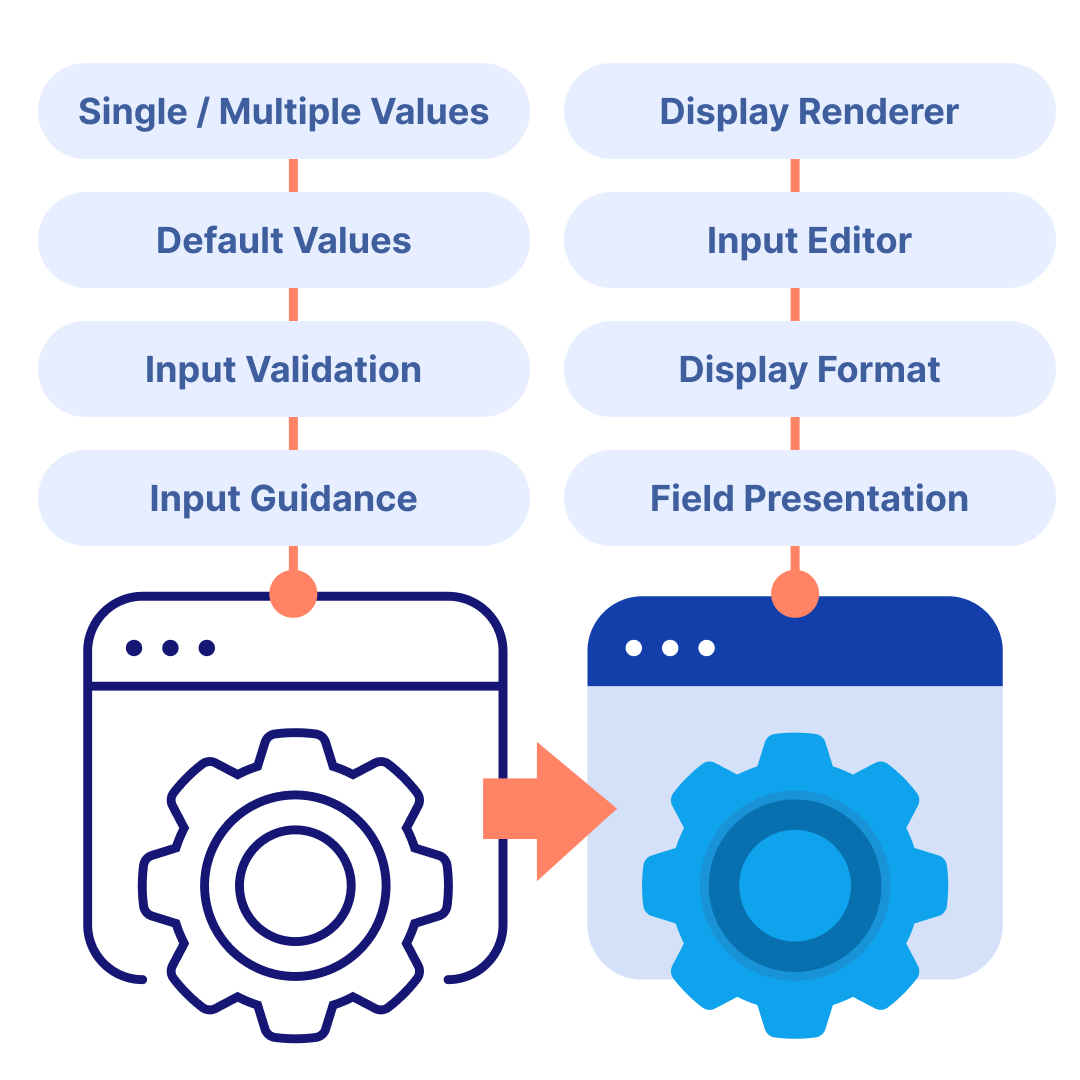
Selectable attributes can accept one value or multiple values according to the business requirement.
A default value can populate a field when it is presented to the user while preserving editing where permitted.
Renderers determine how stored values are displayed, while editors influence how users enter or change them.
Attribute-specific settings can restrict values to the expected format and explain why an entered value is not accepted.
An attribute can be added to layouts where it is required and omitted where it is not applicable.
An attribute may be visible but read-only in one lifecycle state and editable in another.
Captured values can become inputs for rules and process behavior defined elsewhere in the platform.
Configured application
Operational value
Associate the required attributes with each configured type so that records capture the information relevant to their purpose.
Use value types, controlled lists, defaults, and validation to guide users toward consistent information.
Configure editors, renderers, layouts, and lifecycle permissions to control how a field appears and behaves.
Resolve selections from configured roles, users, types, templates, and other supported platform information.
Support both controlled business values and richer content such as files and formatted text.
Use captured attribute values with forms, lifecycle permissions, and rules to address operational requirements.
Domain Modelling Studio
Protrak Attribute Configuration provides a flexible foundation for defining the fields associated with configured business types. Through value-type selection, option sources, defaults, validation, presentation settings, type association, form placement, and lifecycle access, administrators can control how information is collected and used.
Define the information. Control the input. Present it in the required form.